
All your channels.
One beautiful player.
TiviMaster turns the IPTV subscription you already have into a fast, polished TV experience: live TV with a full guide, catch-up, films and series, on your TV and your phone.
Please note: TiviMaster is a media player and does not provide any content. Add playlists from your own IPTV provider. Premium unlocks app features only.
Made for the big screen
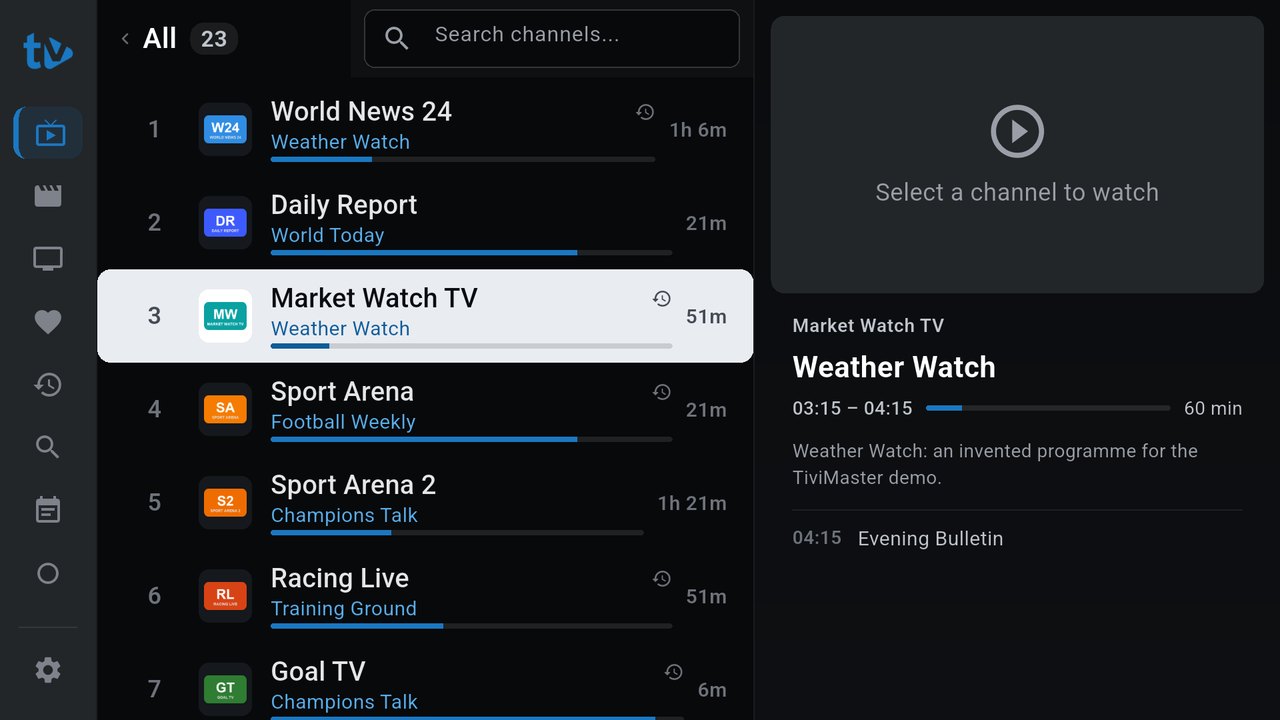
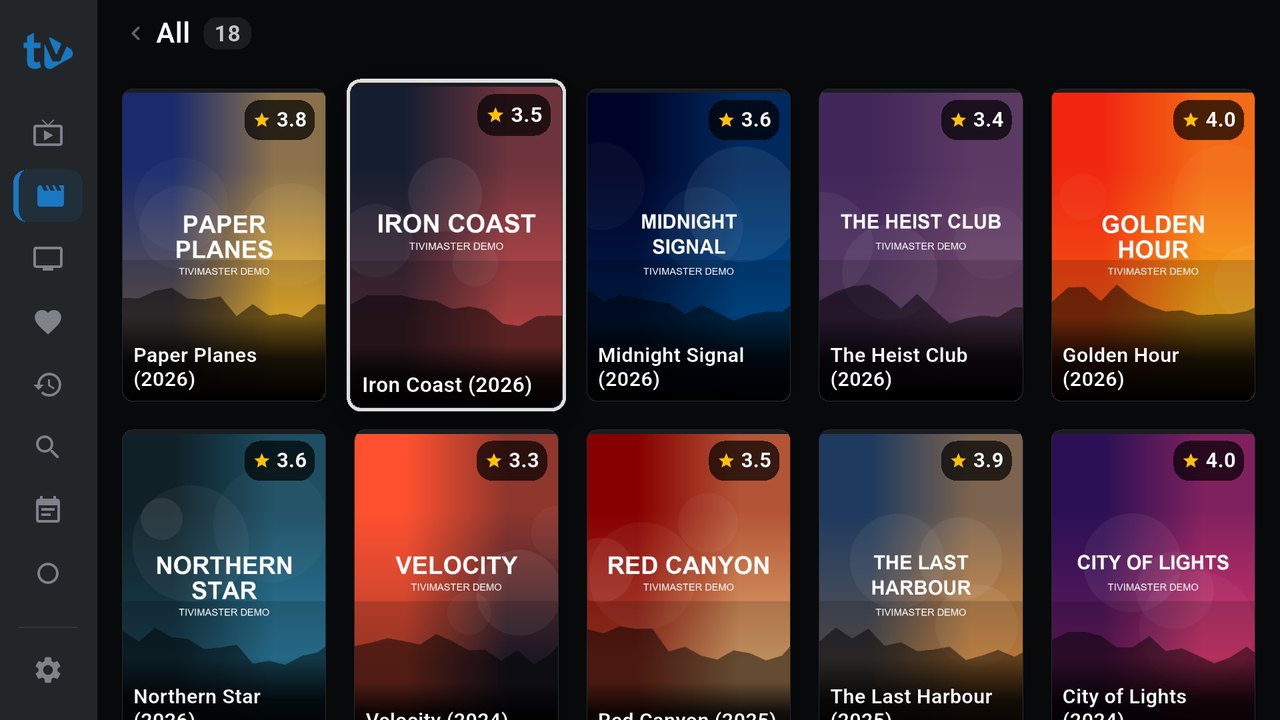
Designed for the remote from the first screen to the last: large, readable rows, a focus you can always see from the sofa, and a Back button that does exactly what you expect.
Everything you need to enjoy your IPTV
From the first channel change to the last episode of the night, every part of TiviMaster is built to be quick, clear and comfortable to use.
Live TV that keeps up with you
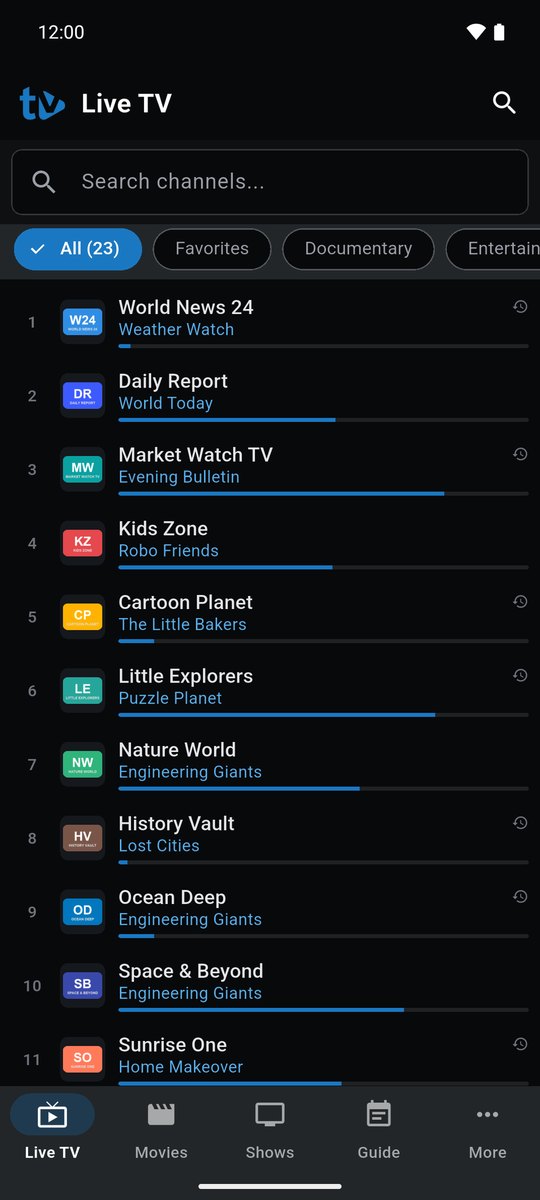
Your channels, organised the way you want, with the programme on now right under every name.
- Channel list with what’s on now and how far into it you are
- A live preview beside the list on TV, and a mini player on your phone
- Change channel with Up and Down, or type a channel number on the remote
- Browse by your provider’s categories, or keep your favourites in one place
- A channel list you can open over the video while you watch
- Pick up the last channel you watched as soon as the app opens
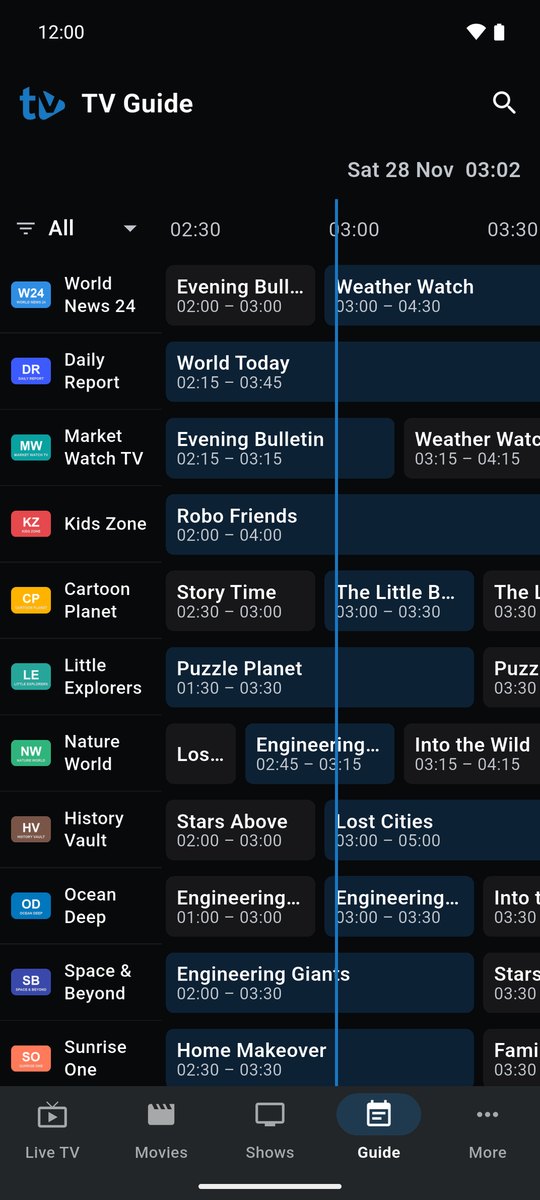
A full TV guide and catch-up
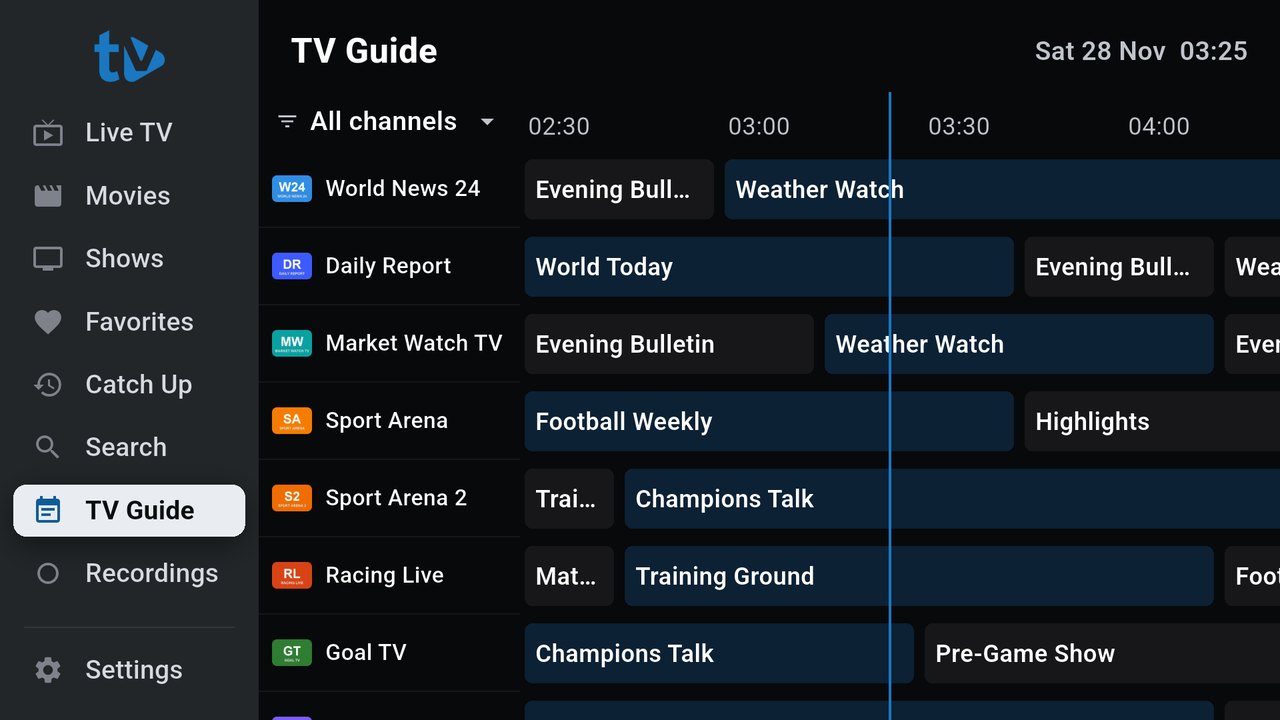
See what’s on across every channel, and go back for what you missed.
- A programme grid for every channel, hours ahead, with a line marking now
- Filter the guide by category to find something faster
- Programme details and what’s on next, right from the channel list
- Catch-up on channels where your provider keeps past programmes
- The guide refreshes itself, or update it whenever you like
Films and series, done properly
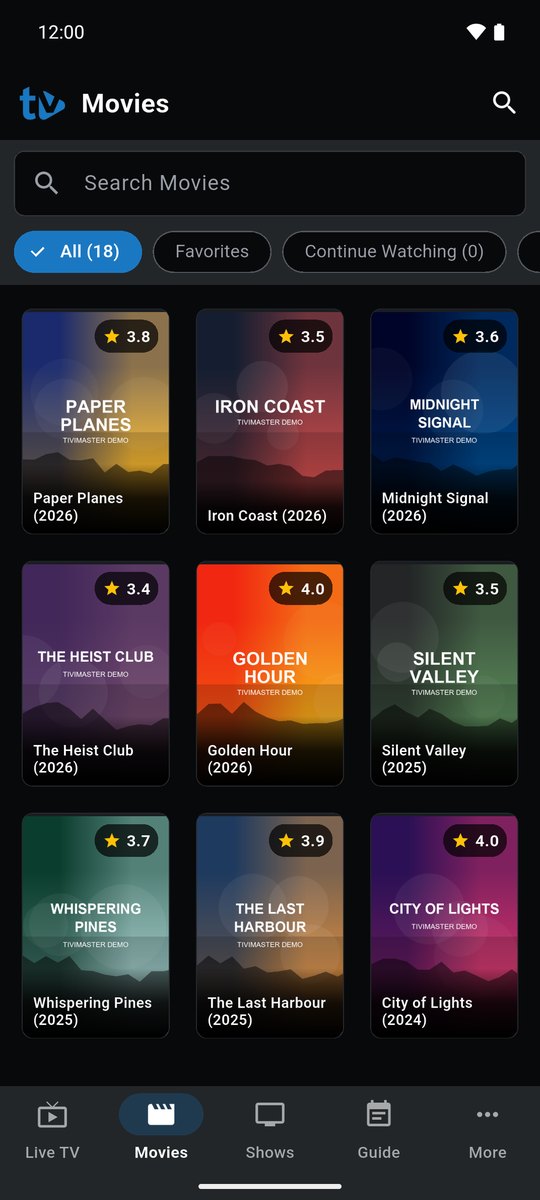
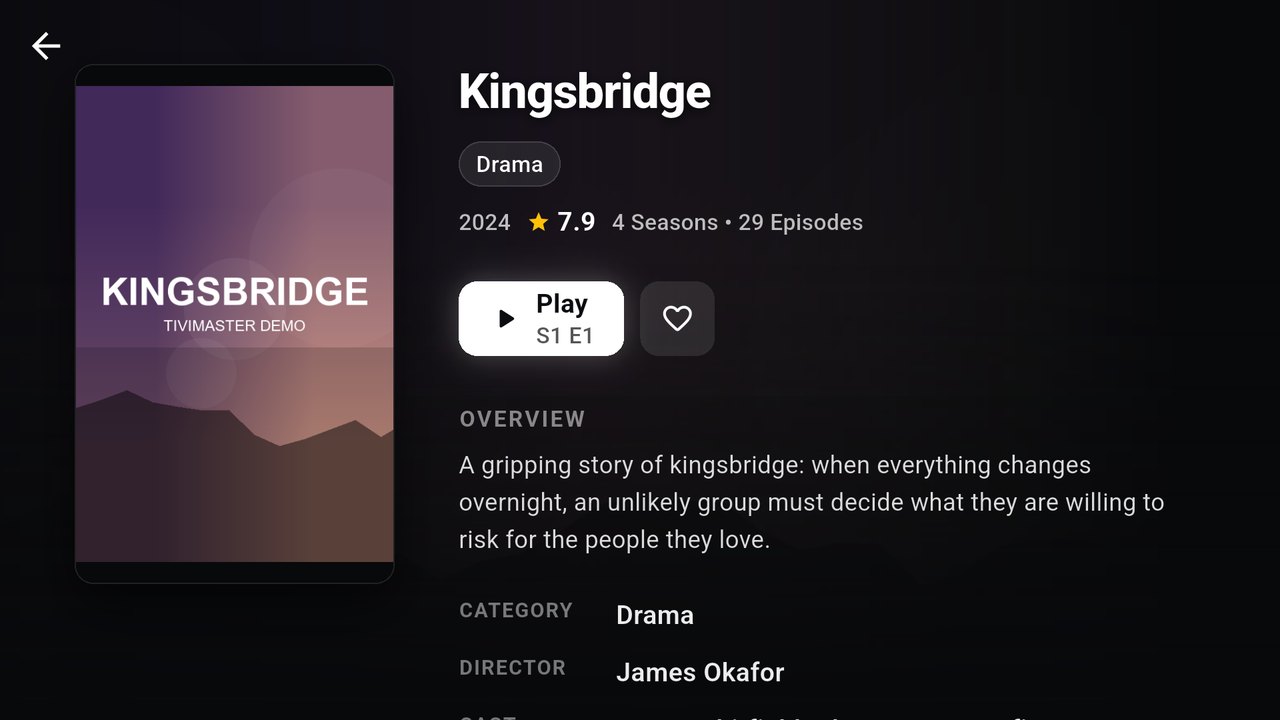
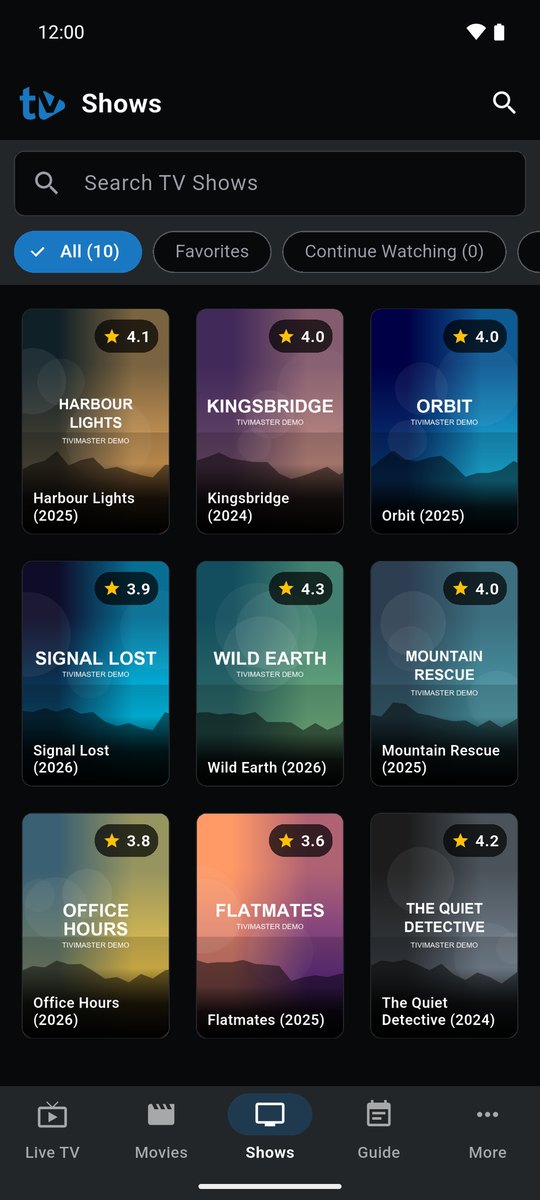
A library that looks the part, with everything you need to decide what to watch.
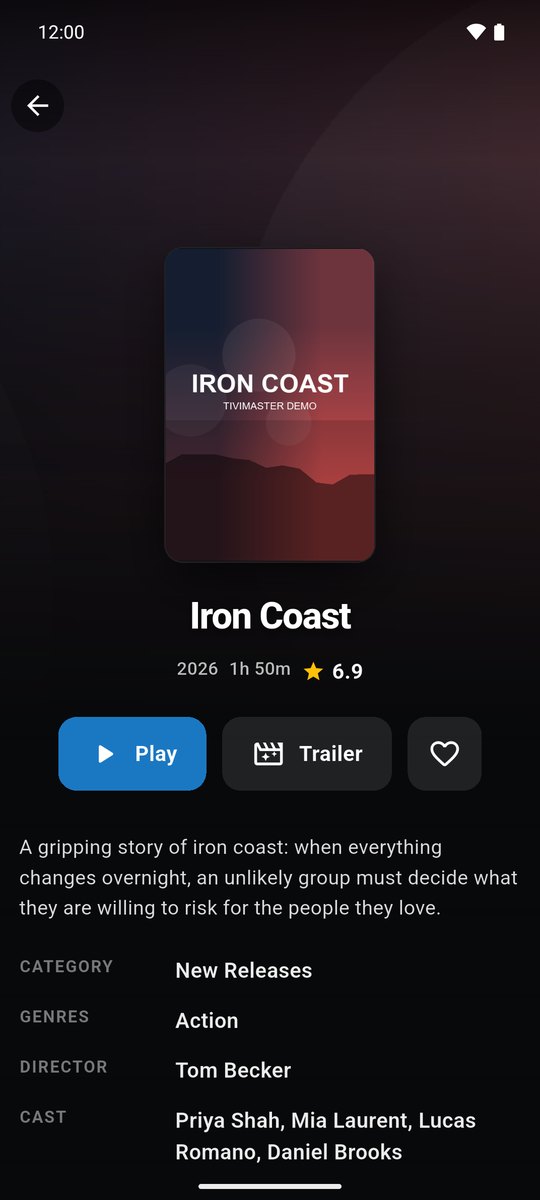
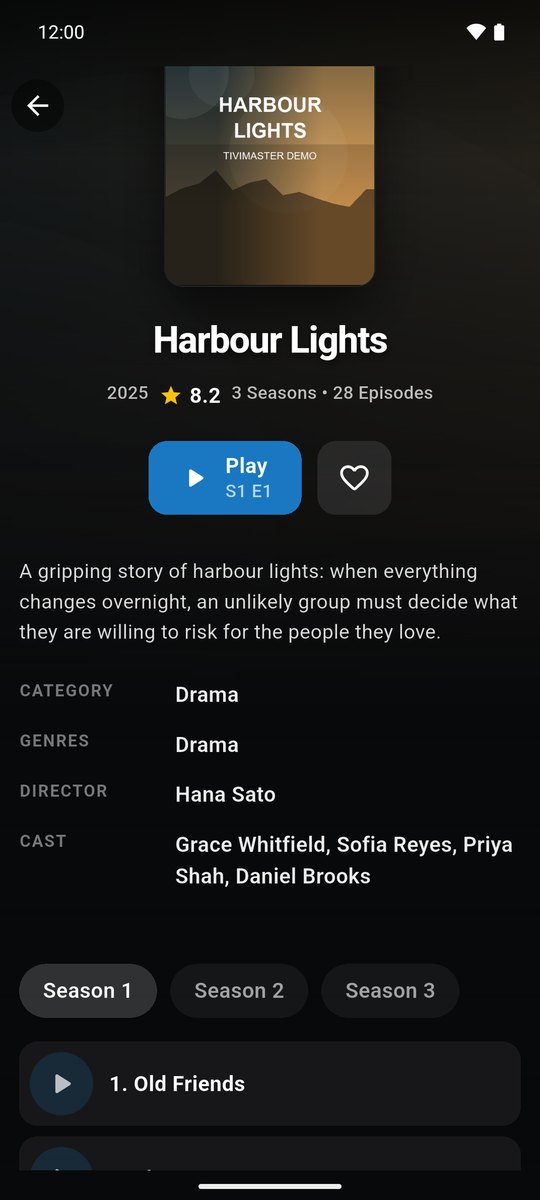
- Posters, ratings, year, running time, cast and director
- Continue Watching, so you resume exactly where you stopped
- Seasons and episodes, with the next episode ready to play
- Trailers, “More like this” suggestions and favourites
- Search across channels, films and series at once
A player that gets out of the way
Smooth playback with the controls you actually use, a single press away.
- Choose the audio track and turn subtitles on or off
- Picture size: Fit, Zoom or Stretch to suit your screen
- Playback speed for films and series, and 10-second skip
- Swipe for brightness and volume on your phone
- Adjustable buffer size for slower connections
- Plain-language messages when a stream fails, not error codes
Premium tools for power viewers PREMIUM
Unlock the extras that make TiviMaster the only player you need.
- Multi-View: watch up to four channels on one screen
- Record live TV to your device and watch it later
- Add as many playlists as you like and switch between them
- Use your own XMLTV guide link for any playlist
- Sort channels, films and series your way
- Send any stream to another video player app
- Tidy your watch history, one item or all of it
In your control
Settings that make the app fit your home, not the other way round.
- Parental controls: hide or lock categories behind a PIN
- Sleep timer that stops playback when you drift off
- Choose the screen the app opens on, and 12 or 24-hour time
- See when your IPTV subscription ends and how many screens it allows
- Optional Google sign-in, and you can delete your account at any time
- No ads, no analytics and no tracking
A proper phone app, not a shrunk TV
Bottom tabs within reach of your thumb, text that’s easy to read, and video that turns to full screen the moment you press play. Real screens from the app, shown with a demo playlist.
Remote-first on TV
Everything works from the remote, with no hunting for a pointer or a keyboard.
- Channel numbers, and Up and Down to change channel
- Guide and Search buttons on your remote take you straight there
- Hold OK, or press Menu, for options on any item
- A built-in guide that explains every button
Touch-first on your phone
The same app, laid out for one hand and a smaller screen.
- Browse upright, watch in landscape
- Menus slide up from the bottom, within easy reach
- Press and hold any channel for quick actions
- The screen stays awake only while you watch
Watching in three steps
No complicated setup. If you have an IPTV subscription, you’re minutes away.
Install TiviMaster
Get it free from Google Play on your Android TV, Google TV box or phone.
Add your playlist
Enter your provider’s Xtream Codes login, paste an M3U link, or open an M3U file.
Start watching
Channels, the guide, films and series load in moments, ready to watch.
Questions, answered
Does TiviMaster include channels?
No. TiviMaster is a player. You bring the playlist or Xtream Codes login from your own IPTV provider, and you should only add content you have the right to watch.
Which devices does it work on?
Android TV and Google TV devices, including TVs, boxes and sticks, plus Android phones and tablets running Android 7 or newer.
Which playlist types are supported?
Xtream Codes logins (server address, username and password) and M3U playlists, either as a link or a file saved on your device.
Is there a TV guide?
Yes. TiviMaster loads the guide your provider supplies and shows it in the channel list and in a full guide grid. With Premium you can also add your own XMLTV guide link.
Can I watch programmes I missed?
Yes, on channels where your provider offers catch-up. Those channels are marked in the list.
How does the free trial work?
New subscribers can start the yearly plan with a 7-day free trial. Cancel in Google Play before the trial ends and you are not charged.
Can I use Premium on more than one device?
Yes, on up to 5 devices with the same Google Play account. On a new device, open Premium and choose Restore purchases.
Do I need an account?
No. Signing in with Google is optional. Premium is linked to your Google Play purchase.
Why won’t a channel play?
Usually the provider is busy, the channel is offline, or your subscription allows fewer screens than you are using. Settings → Subscription & playlist info shows when your account ends and how many screens it allows.
Is my data safe?
Your playlists and logins stay on your device and go only to your provider. No ads, no analytics, no tracking. Read the privacy policy.
Ready when you are
Install TiviMaster on your Android TV or phone, add your playlist, and start watching in minutes.
Get it on Google Play